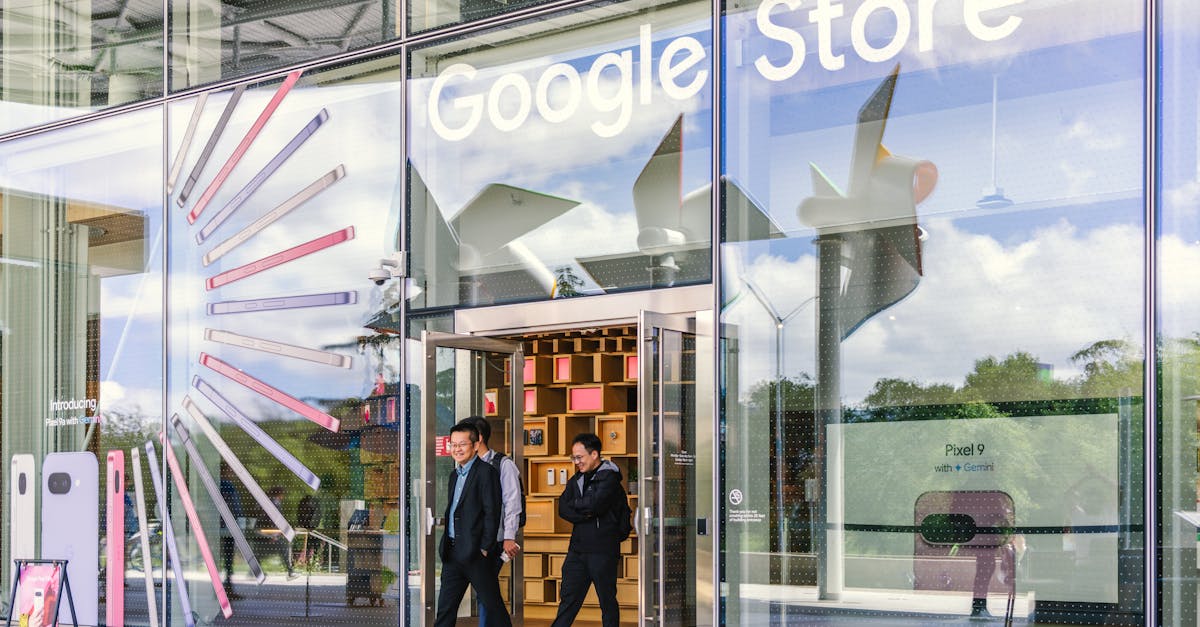
Learn the post formats, opening lines, and call-to-action techniques that turn your Google Business Profile into a real source of customer clicks.
—By Andrew—6 min read
Most local service businesses post to their Google Business Profile (GBP) occasionally, see little happen, and quietly stop. The problem usually isn't posting frequency. It's that the posts are written in a way that gives the reader no reason to click.
This guide breaks down exactly what makes a GBP post perform: which formats work, how to open a post, what your call-to-action (CTA) should say, and how to think about each post type depending on the kind of service you run.
What is a Google Business Profile post, and why does it matter?
A GBP post is a short update, 1,500 characters maximum, that appears on your Google Business listing in Search and Maps. Unlike social media, these posts show up right when someone is already searching for a business like yours. That's a different kind of attention. The reader hasn't tuned out yet.
Posts can include a photo, a headline, body text, and a button linked to any URL you choose. They expire after seven days unless they are event or offer posts, which run until the end date you set. Getting the format right means your post is live and visible during the window that matters.
Which post format should you use?
Google currently offers four main post types for most business categories: "What's New," "Event," "Offer," and "Product." Choosing the right one changes how your post displays.
Post Type
Best Used For
Button Options
Expiration
What's New
Tips, announcements, general updates
Learn more, Call, Book
7 days
Offer
Discounts, promotions, limited-time deals
View offer
Your end date
Event
Webinars, open houses, community events
Your end date
Your end date
Product
Specific service or product listings
Order online, Buy, Learn more
No expiration
For most service businesses, "What's New" handles day-to-day posting, while "Offer" is the right choice any time you're running a promotion. With Labor Day on September 7, for example, a plumbing or HVAC company running a late-summer tune-up special should be using "Offer," not "What's New," so the post stays visible through the holiday weekend.
How do you write an opening line that stops the scroll?
The first 80–100 characters of your post appear in the preview before Google truncates it. That short window is doing almost all of the work.
Weak opening: "We at ABC Plumbing are pleased to offer our customers a special deal this season."
Stronger opening: "Water heater making a popping sound? It could mean sediment buildup. Here's what to do."
The second version names a specific problem the reader has already typed into Google. It creates a reason to keep reading. A few reliable formulas:
Lead with a question the customer is already asking ("Is your AC running but not cooling?").
Lead with a number that is concrete and surprising ("3 roof issues we find most often after summer heat in older homes").
Lead with a time frame that creates urgency without being pushy ("Fall tune-ups book out fast. Here's when to schedule").
The principle is the same regardless of service type. A therapy practice might open with "Feeling overwhelmed as the school year starts?" A law firm might open with "New to the area and need to update your estate plan?" Hook the specific person you're trying to reach.
What should the body of the post actually say?
Keep it between 150–300 characters of actual body text after the opening line. GBP posts are not blog articles. Readers want enough to understand the point, then a clear next step.
A good structure looks like this:
Opening line (the hook, as above).
One or two sentences expanding the point with a specific detail.
A direct CTA that tells the reader what to do next.
Here's a full example for a roofing company:
"Seeing dark streaks on your roof? That's usually algae, not damage, and it can be cleaned without a full replacement. We walk you through the difference in our latest guide. Link in the button below."
And for a dental office:
"Back to school means back to checkups. Kids who get a cleaning before October are less likely to miss school days due to tooth pain. Book your child's appointment now before our September slots fill."
That dental example ties a specific seasonal moment to a concrete outcome families are thinking about right now. That combination is harder to scroll past.
How do you write a CTA button that people actually click?
Google gives you a list of preset button labels: "Learn more," "Call now," "Book," "Order online," "Buy," "Sign up," "Visit." Most businesses default to "Learn more" for everything, which is the weakest choice for driving action.
Match the button to the friction level of the action you're asking for:
"Call now" works when the post describes an emergency or time-sensitive service (24-hour HVAC repair, same-day locksmith).
"Book" works when you've already given enough context in the post that the reader is ready to commit (a seasonal promotion with a clear price).
"Learn more" works when the post is educational and the destination is a longer piece of content.
The destination URL matters as much as the label. Send readers to a page that continues the exact conversation the post started. If your post is about water heater repair, the button should go to your water heater service page, not your homepage.
How often should you post, and does consistency matter?
One post per week is the baseline that keeps your listing active and signals to Google that the business is engaged. Two posts per week is better if you have the content. What hurts more than low frequency is inconsistency: posting five times in one week, then going quiet for six.
If you run a service business and you're on the job most of the day, writing and scheduling posts is genuinely hard to keep up with. That's the exact problem Lokavine's Google Business Profile management and posting was built to solve. Posts are drafted automatically in the background, then sent to you for one-click approval before anything goes live. You stay in control without having to write from scratch every week.
What makes a post work differently for different service types?
A quick reference for how to tailor these techniques by category:
Home services (HVAC, plumbing, roofing): Focus on seasonal problems and prevention tips. Readers respond to posts that explain what a symptom means and what to do about it.
Health and wellness (therapy, dental, chiropractic): Focus on life moments and outcomes. The hook is the reader's situation, not the clinical service name.
Professional services (law, insurance, accounting): Focus on triggers: a new life event, a deadline, a recent change in law or rates. Posts that start with "Did you know the rules on X changed this year?" earn high click-through because the reader didn't know.
Trades and installation (electricians, painters, flooring): Visuals carry more weight here. A photo of a completed job plus a short post explaining what problem it solved outperforms text-only posts by a wide margin.
Should you include photos in every post?
Yes, when you have a relevant image. Posts with photos take up more visual space in the listing panel and draw the eye before the text does. For home services, before-and-after photos of real jobs are among the most clicked content on any GBP. For professional services where photography is harder to source, a clean branded image beats no image, but a low-quality or irrelevant stock photo can actually reduce trust.
If you're posting consistently, maintaining a photo library is part of the job. Even 10–15 high-quality job photos, rotated across posts over a few months, perform better than scrambling for something each week.
Getting GBP posts right is a writing and strategy challenge, not a technical one. Nail the opening line, match the format to the purpose, and give the reader one clear next step. Do that consistently, and your listing starts doing real work in local search rather than just sitting there.